Skip to content

One Workspace. Every Team. Every Project.

WorkXel brings project management, team collaboration, communication, workloads, and organizational workflows together in one powerful workspace.

On the weband in the WorkXel mobile app
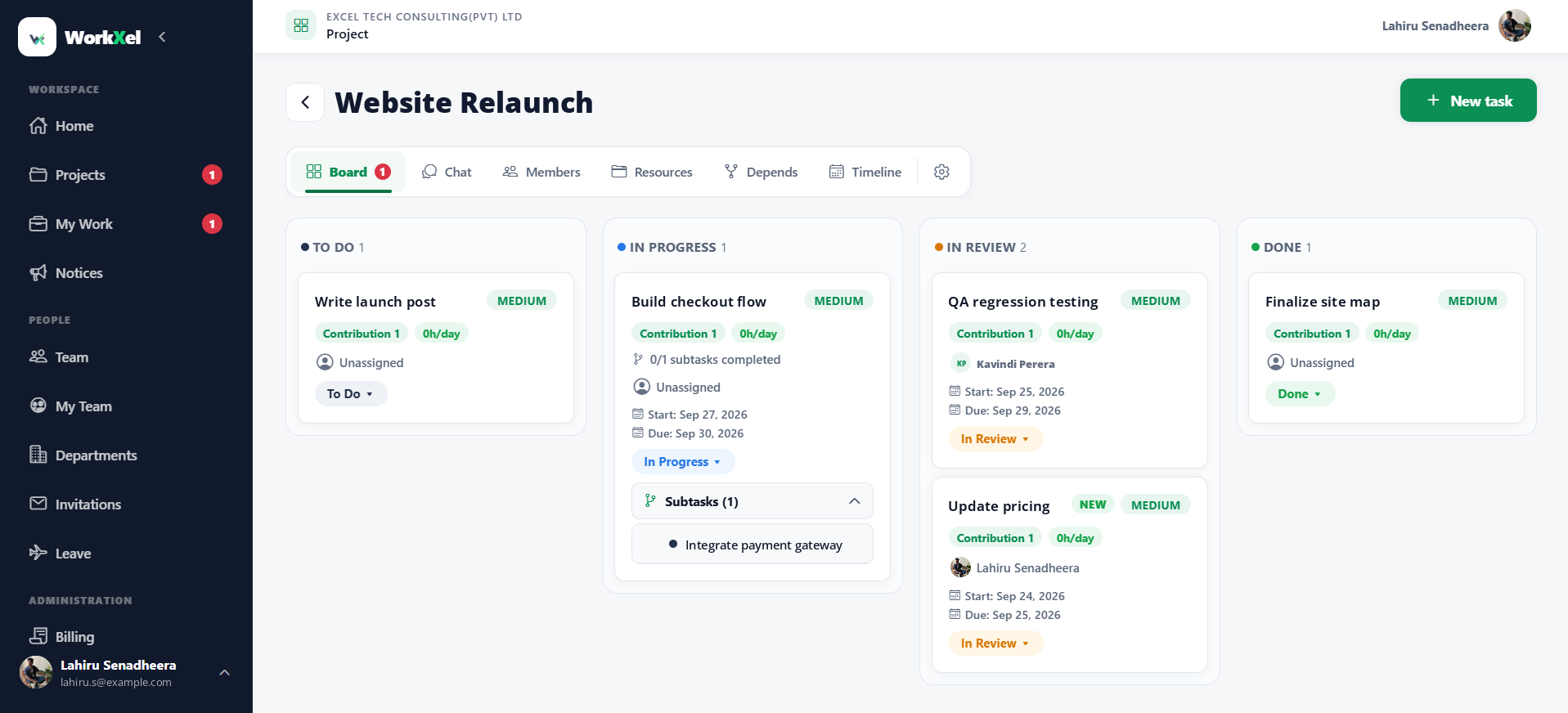
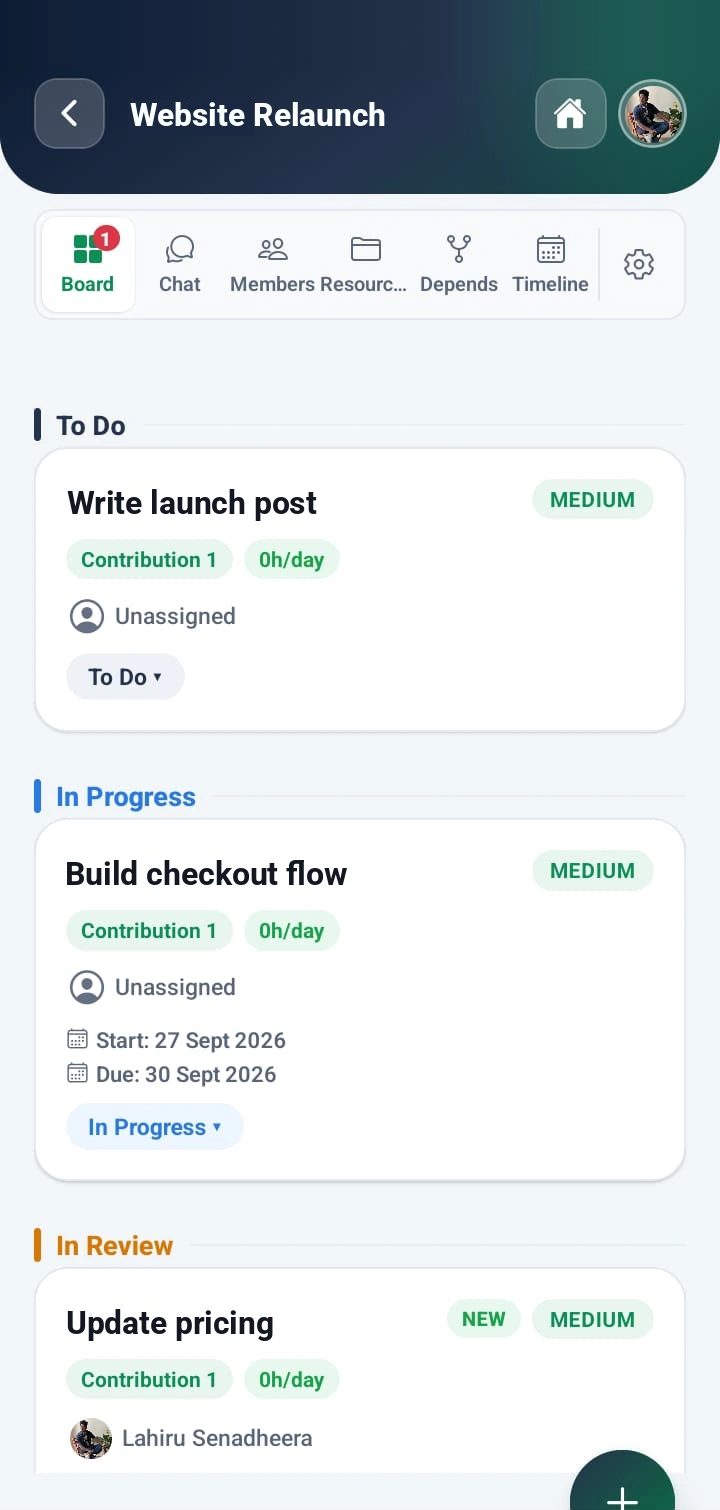
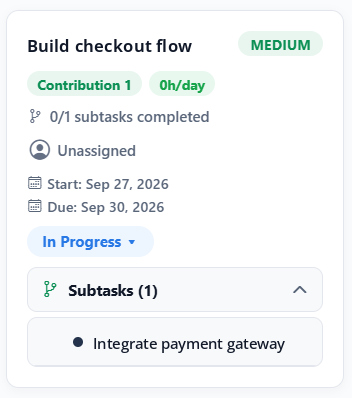
WorkXel project board for Website Relaunch with To Do, In Progress, In Review and Done columns; the Build checkout flow task shows its subtask, Integrate payment gateway

Every task and subtask, from To Do to Done

The problem

Your Work Shouldn't Be Scattered Everywhere

When work lives in too many places, teams spend their time looking for context instead of moving forward.

Too many tools

Projects, conversations, tasks, files, and team information are spread across different tools.

Limited visibility

Managers struggle to understand what their teams are working on and where workloads are building up.

Missed communication

Important project conversations and updates can easily get lost.

Manual workflows

Leave requests, approvals, team management, and organizational processes often require unnecessary manual work.

Core features

Everything Your Team Needs to Get Work Done

Projects, tasks, conversations, people, and time off — built to work together instead of living in separate tools.

Project Management

Create and manage projects, tasks, subtasks, dependencies, timelines, and project workflows.

  • Projects
  • Timelines
  • Dependencies
  • Workflows

Task Management

Break any task into subtasks — up to five levels deep — and track them right inside the card, alongside assignees, priorities, and due dates.

  • Subtasks
  • Assignments
  • Priorities
  • Due dates

Team Collaboration

Every project has its own chat for the whole team, and every task has its own chat for the people doing it — with @mentions, files, and read receipts.

  • Project chat
  • Task chat
  • @mentions
  • Read receipts

Workloads

Give managers visibility into assigned work, workload distribution, capacity, task allocation, and team availability.

  • Capacity
  • Allocation
  • Availability

Leave Management

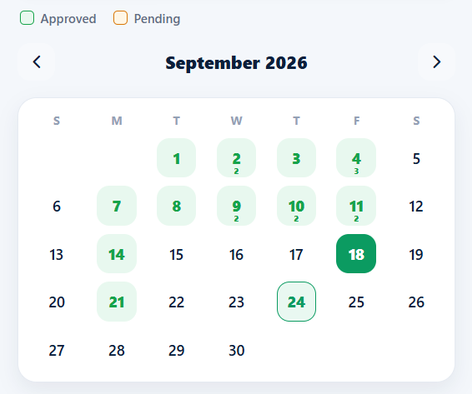
Leave requests, approvals, Work From Home, and Work Outside — with a calendar view and supervisor workflows.

  • Requests
  • Approvals
  • Work From Home
  • Work Outside

Team Management

Manage organization members, supervisors, teams, invitations, and permissions from one place.

  • Members
  • Supervisors
  • Invitations
  • Permissions

Subtasks

Big Tasks, Broken Into Clear Steps

Split any task into subtasks, assign each one, and follow the whole piece of work from a single card on the board.
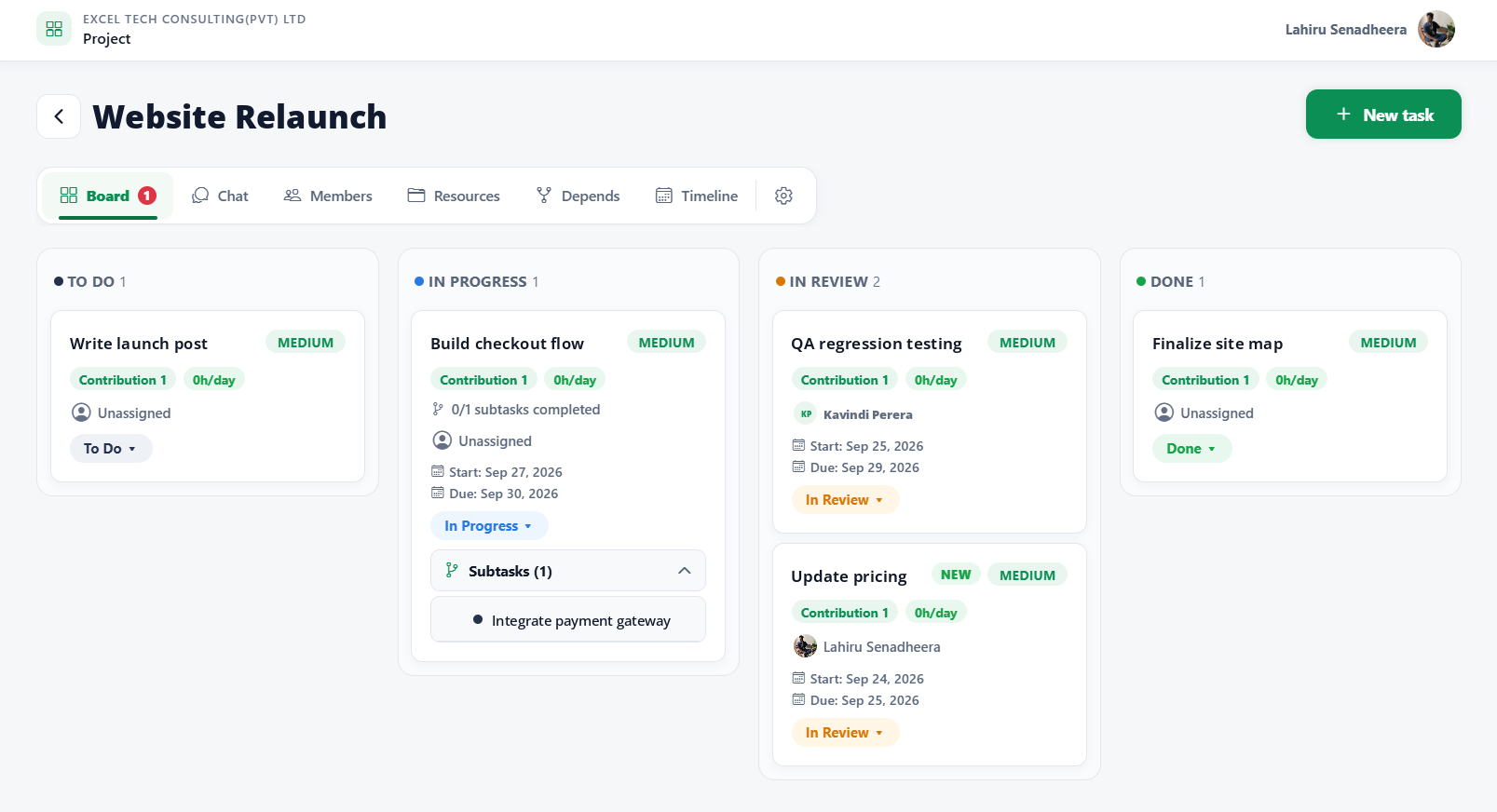
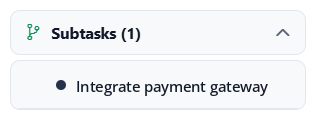
WorkXel project board for Website Relaunch with To Do, In Progress, In Review and Done columns; the Build checkout flow task shows its subtask, Integrate payment gateway
How deep a task goes
  1. Level 1Launch websiteIn Progress
  2. Level 2DNS setupTo Do
  3. Level 3SSL certificateTo Do
  4. … and two more levels if you need them
  • Right inside the cardOpen a task on the board and its subtasks are listed underneath — no separate page to hunt for.
  • Up to five levels deepA subtask can have subtasks of its own, so large pieces of work break down as far as they need to.
  • Progress you can seeEach card shows how many of its subtasks are finished, like “0/1 subtasks completed”.
  • Done means doneA task can't be marked Done while any of its subtasks are still open.
  • Ready for review, automaticallyTurn it on for a task, and it moves to In Review by itself once every subtask is finished.
  • Weighted progressGive tasks a contribution weight, and finished subtasks roll up into the project's progress.

Mobile app

WorkXel in Your Pocket

WorkXel isn't only on the web. The WorkXel mobile app puts your projects, your team, and your leave on your phone — so work keeps moving when you're away from your desk.

  • Your day at a glanceWhat needs your attention, your projects, and your to-dos the moment you open the app.
  • Move work forwardOpen a project board, update a task's status, and check the timeline from anywhere.
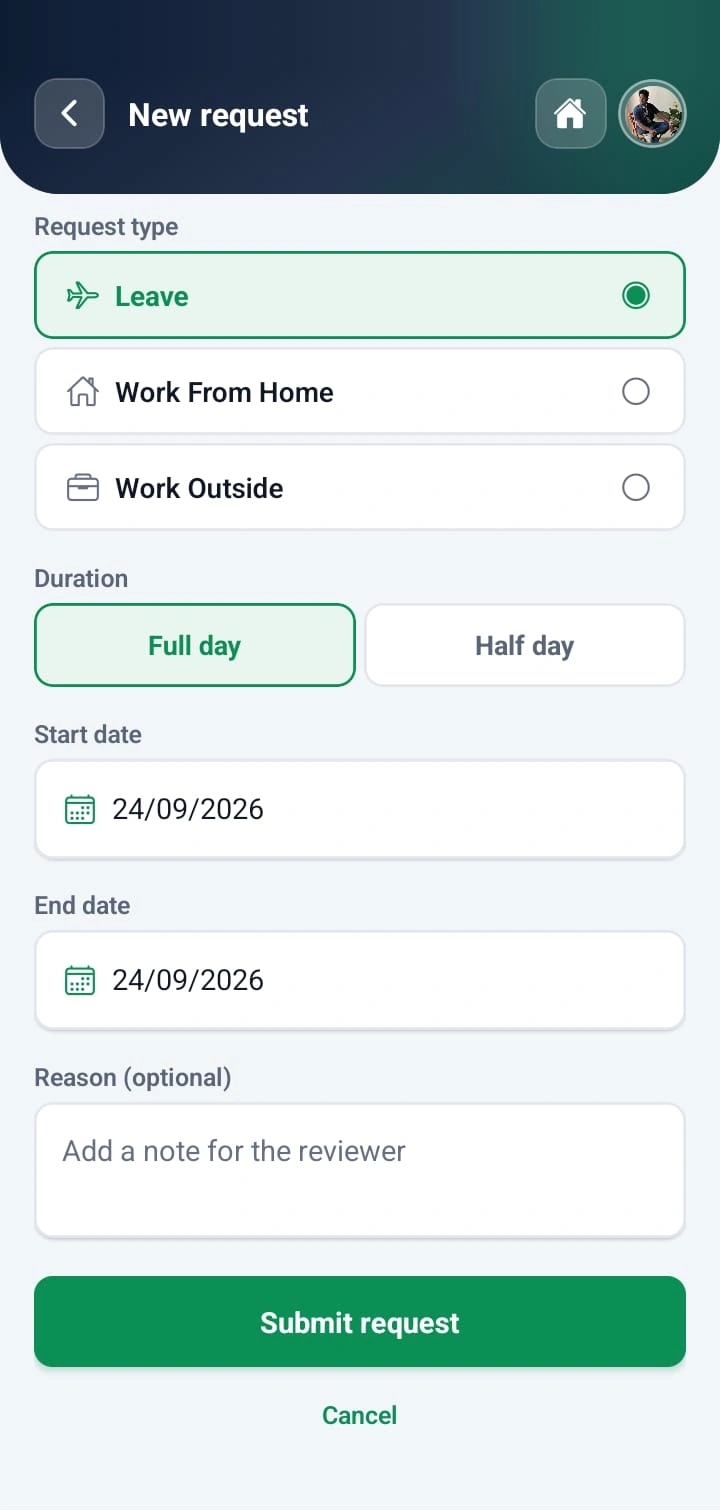
  • Request leave in secondsLeave, Work From Home, or Work Outside — full day or half day — in a few taps.
  • Approve on the goSupervisors and HR review requests, see who's away, and download leave reports.
  • Stay in the loopPush notifications for assignments, mentions, deadlines, and leave decisions.
  • One account, everywhereSign in with the same account on the web and on your phone — everything stays in sync.
Get Started

Opens WorkXel on your phone at m.workxel.com — same account as the web.
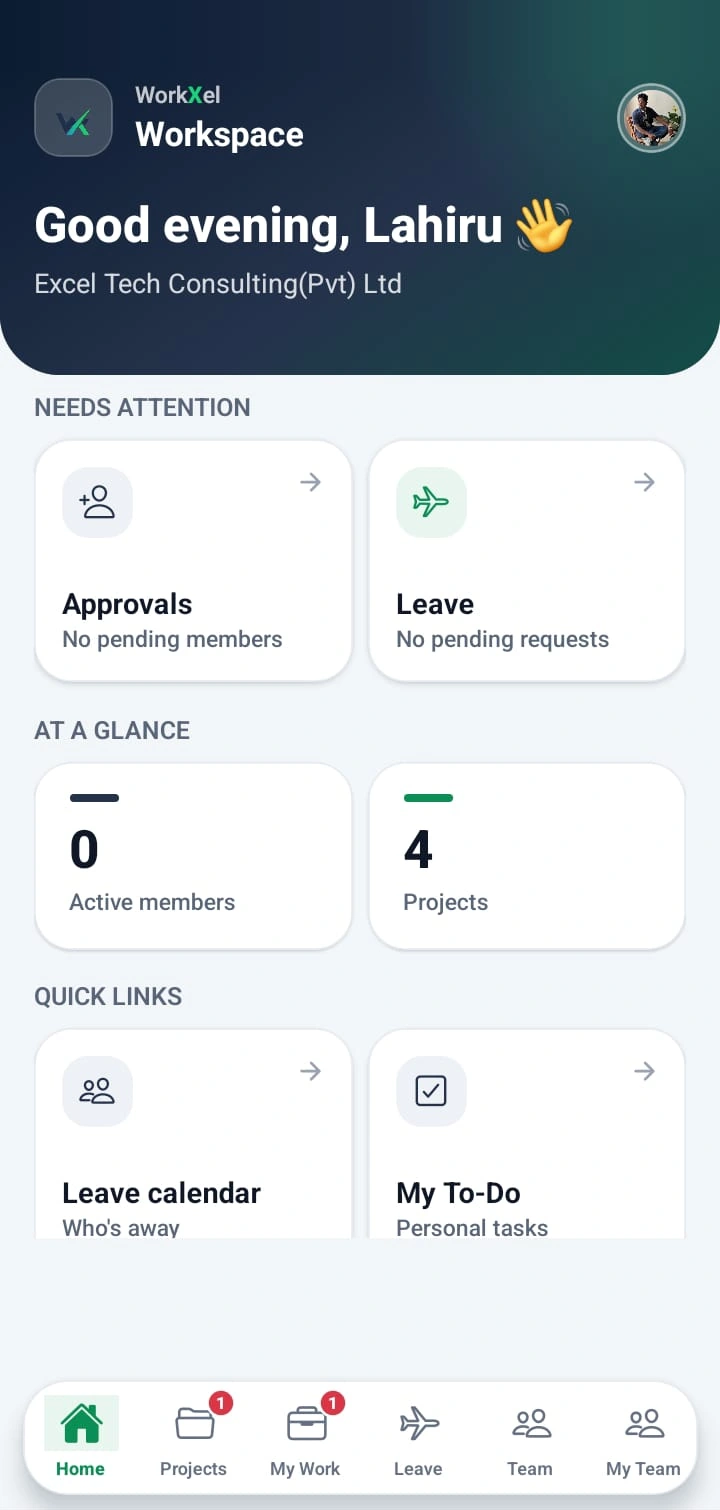
WorkXel mobile home screen with items that need attention, organization stats and quick links

More from the mobile app

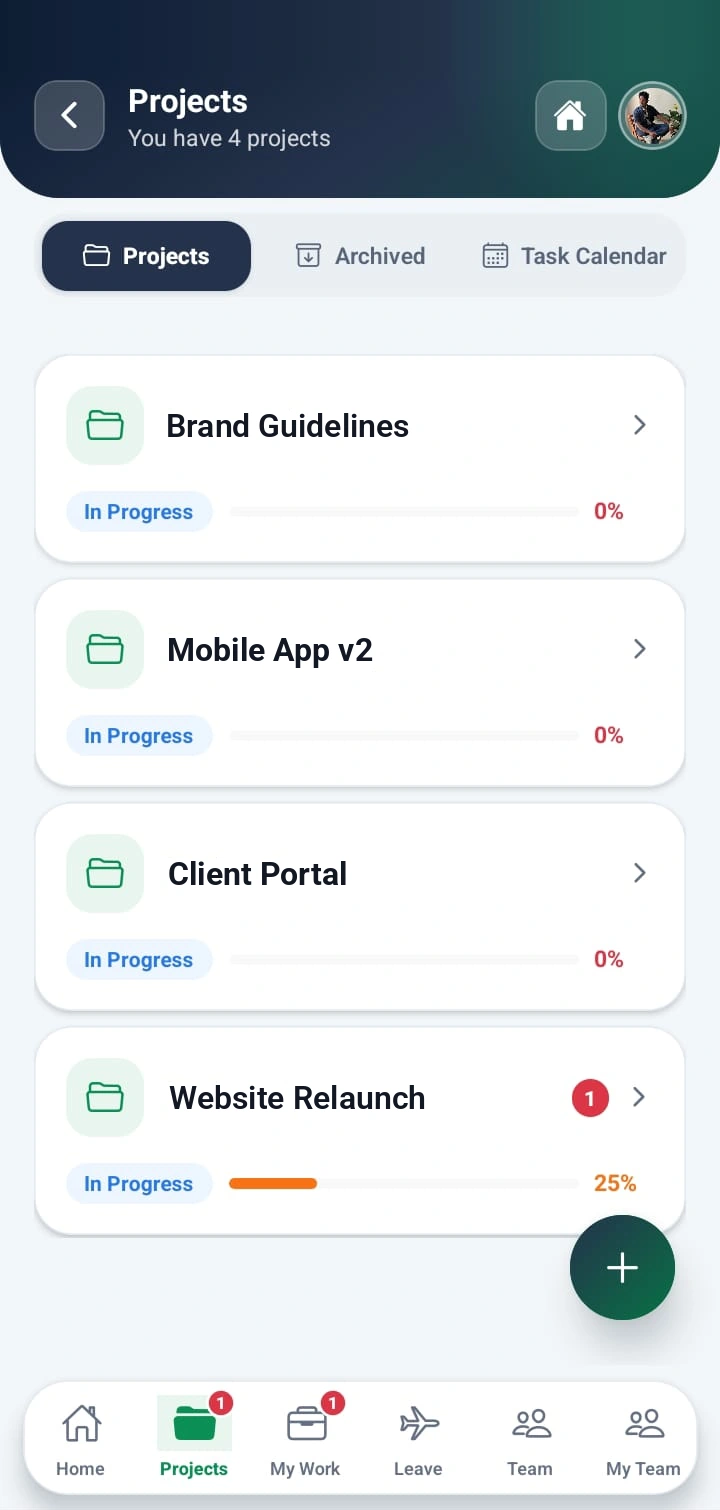
  • WorkXel mobile projects list with progress for each project
    Projects
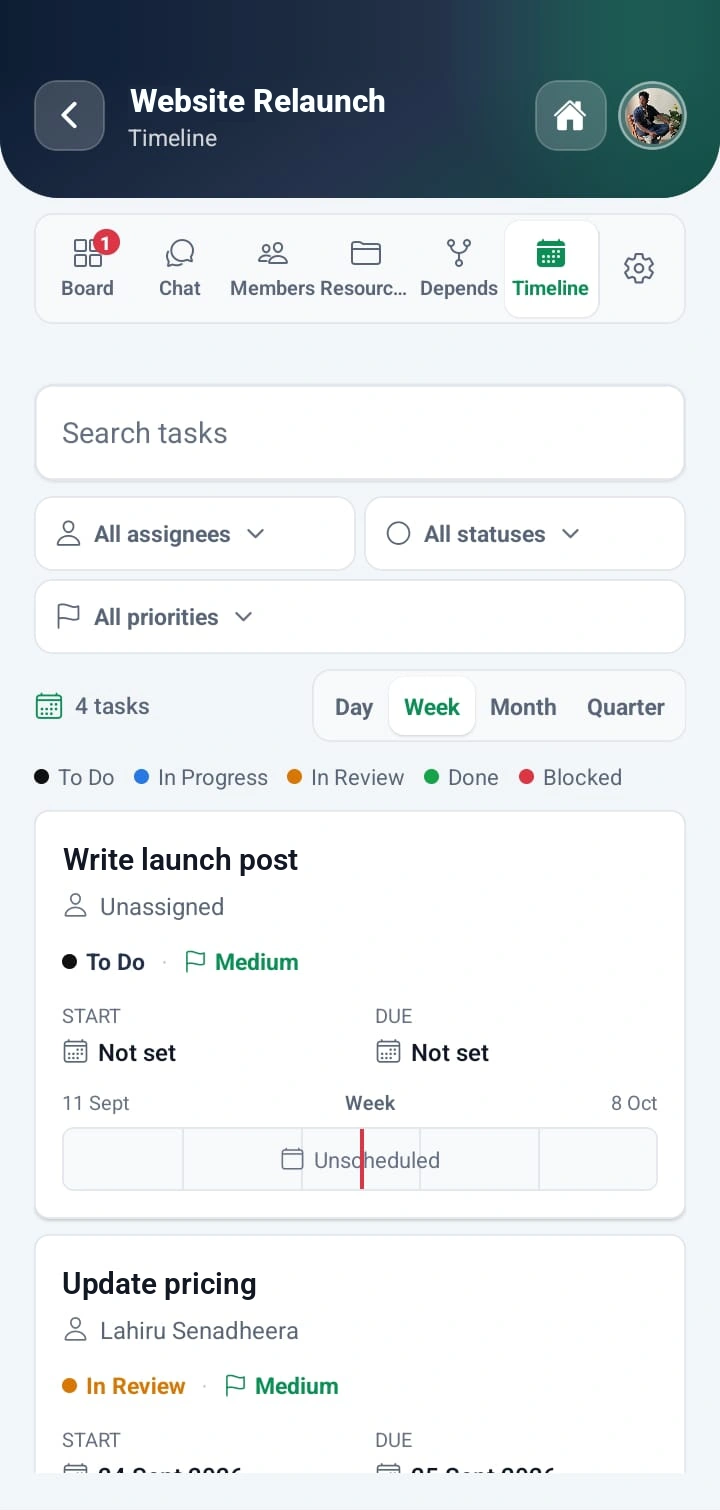
  • WorkXel mobile project timeline with filters and each task's start and due dates
    Timeline
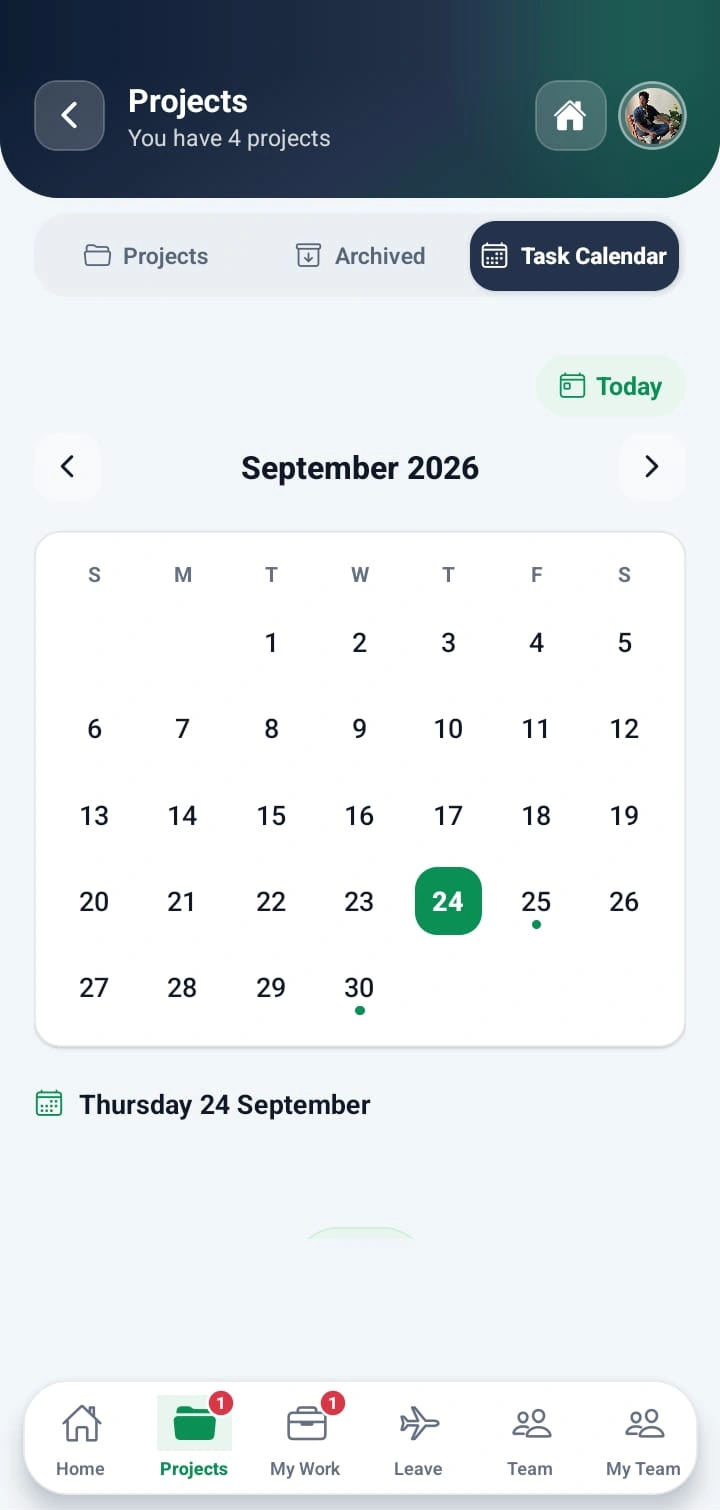
  • WorkXel mobile task calendar with dots on days that have deadlines
    Task calendar
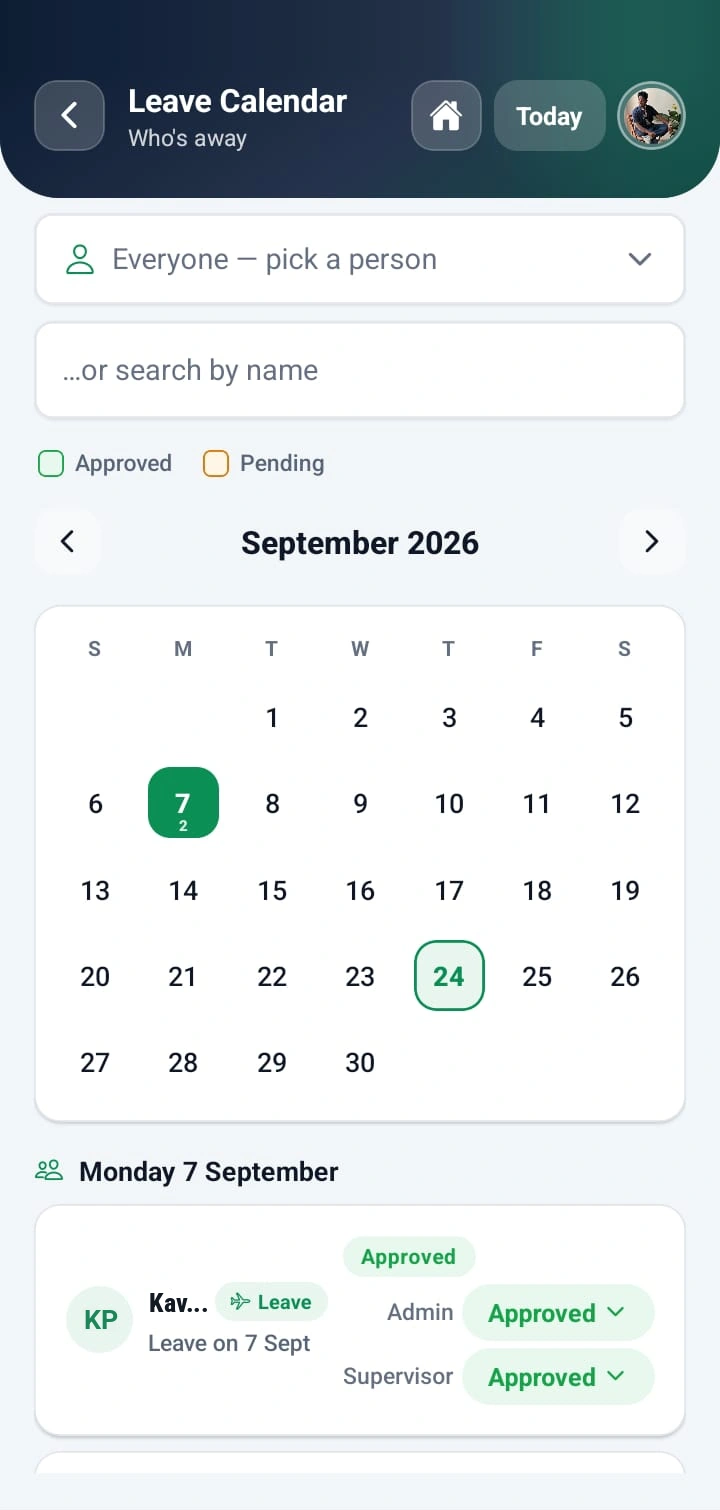
  • WorkXel mobile leave calendar showing an approved leave with admin and supervisor decisions
    Leave calendar
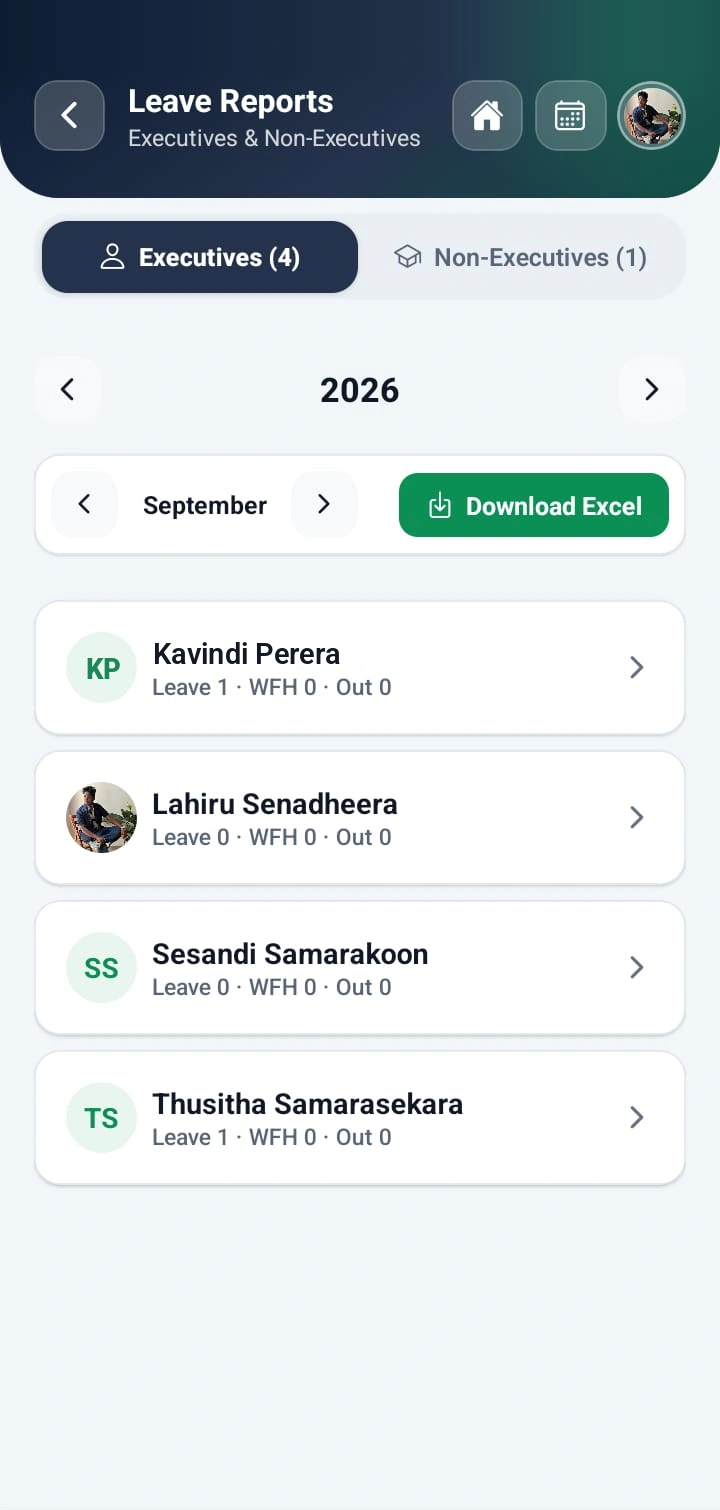
  • WorkXel mobile leave report for the month, split into Executives and Non-Executives, with an Excel download
    Leave reports
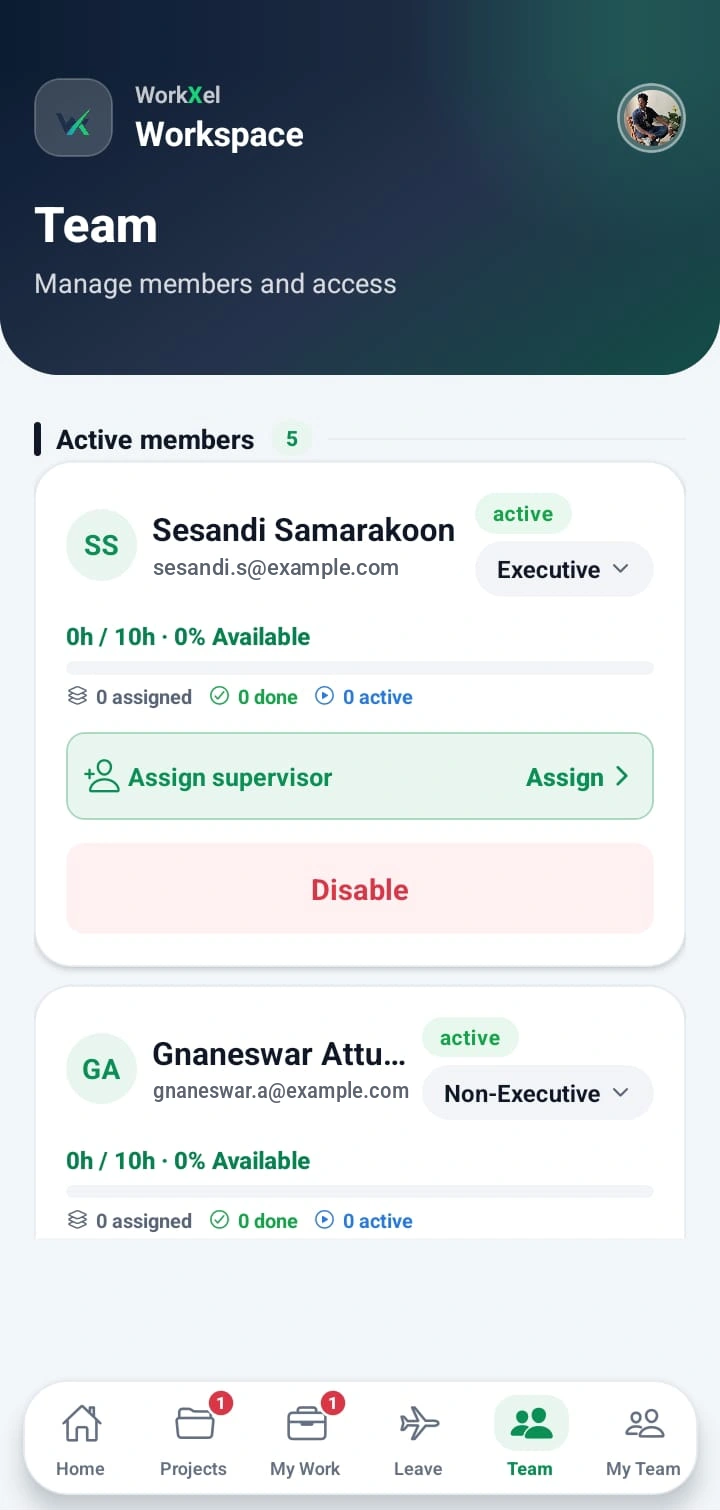
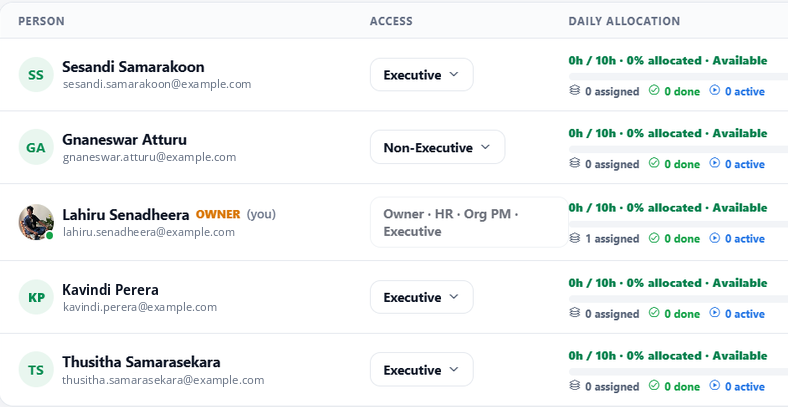
  • WorkXel mobile team screen with each member's access level, allocation and supervisor
    Team
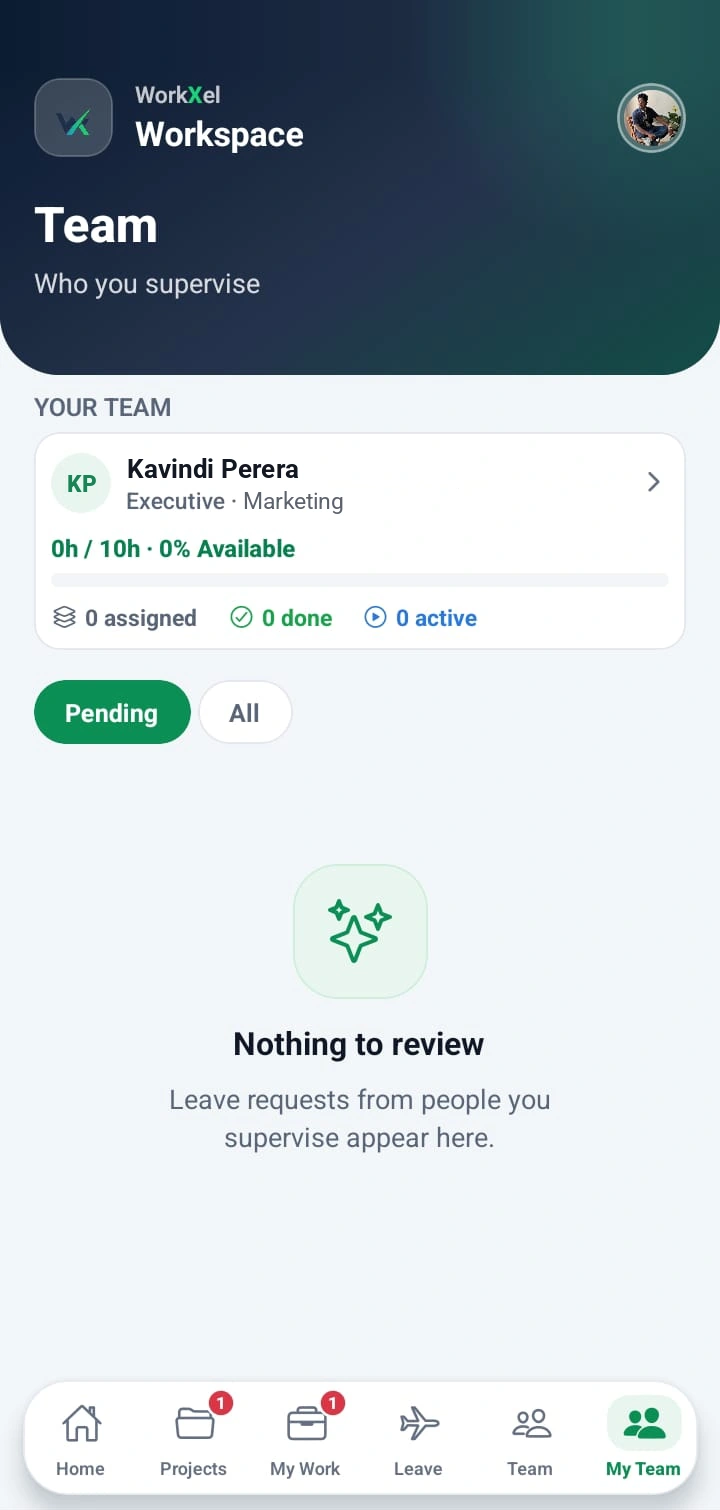
  • WorkXel mobile My Team screen showing the people a supervisor looks after and their pending leave requests
    My Team
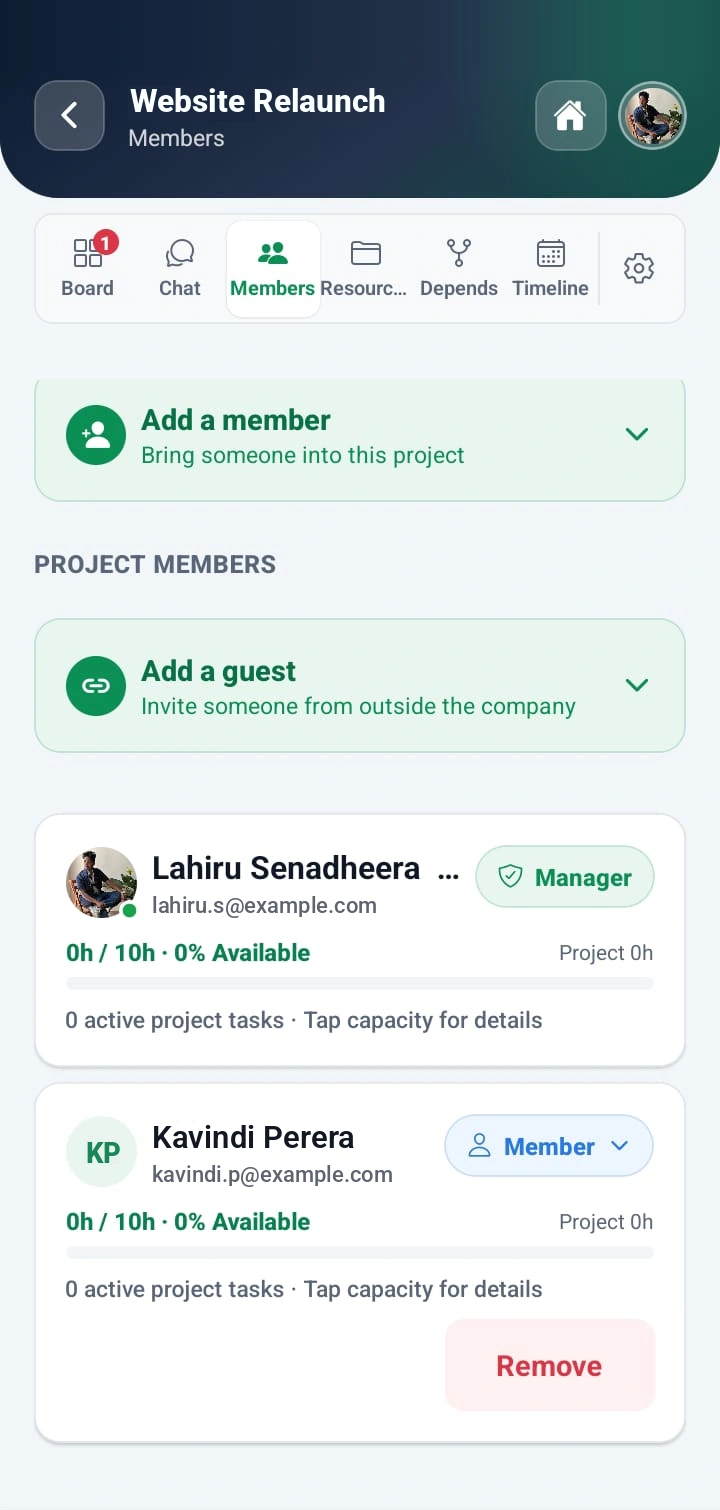
  • WorkXel mobile project members screen with options to add a member or invite a guest
    Project members
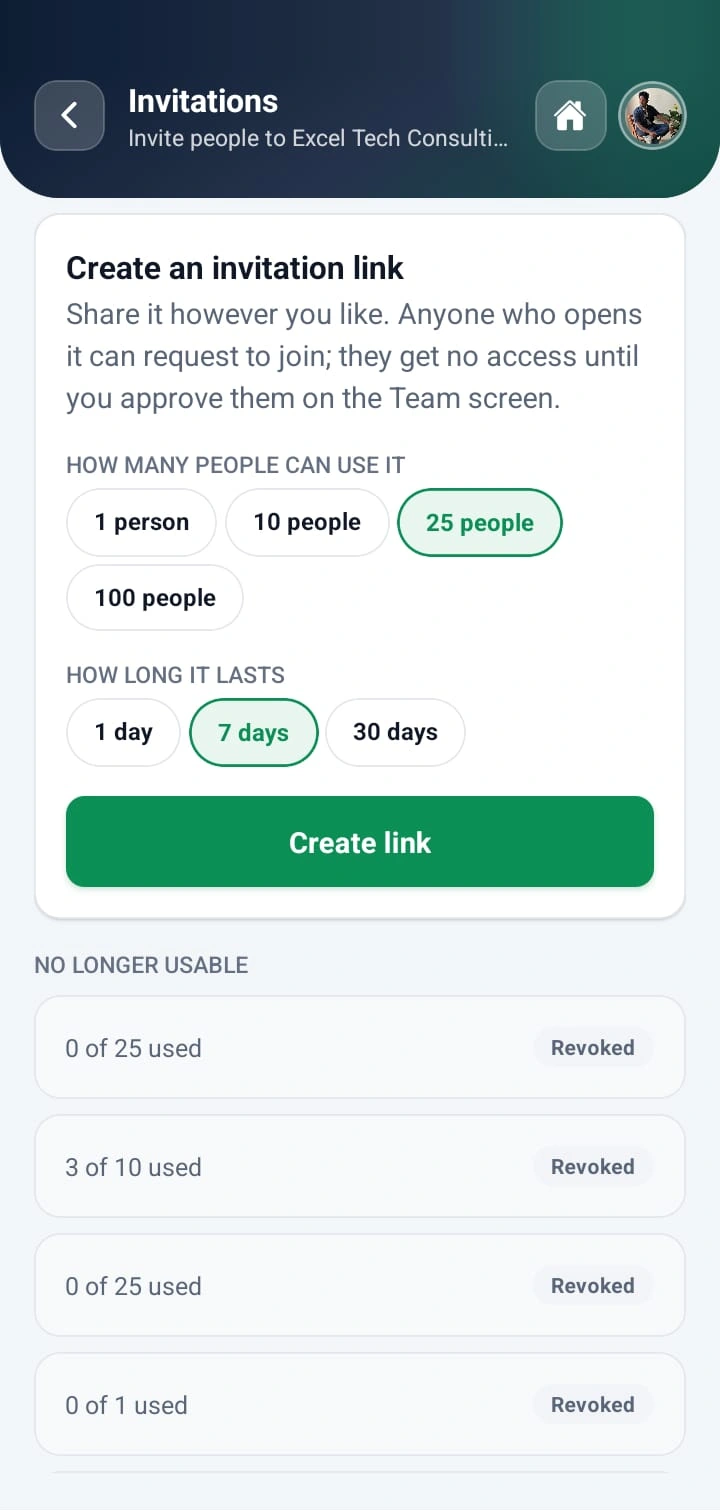
  • WorkXel mobile screen for creating an invitation link with a use limit and expiry
    Invitations
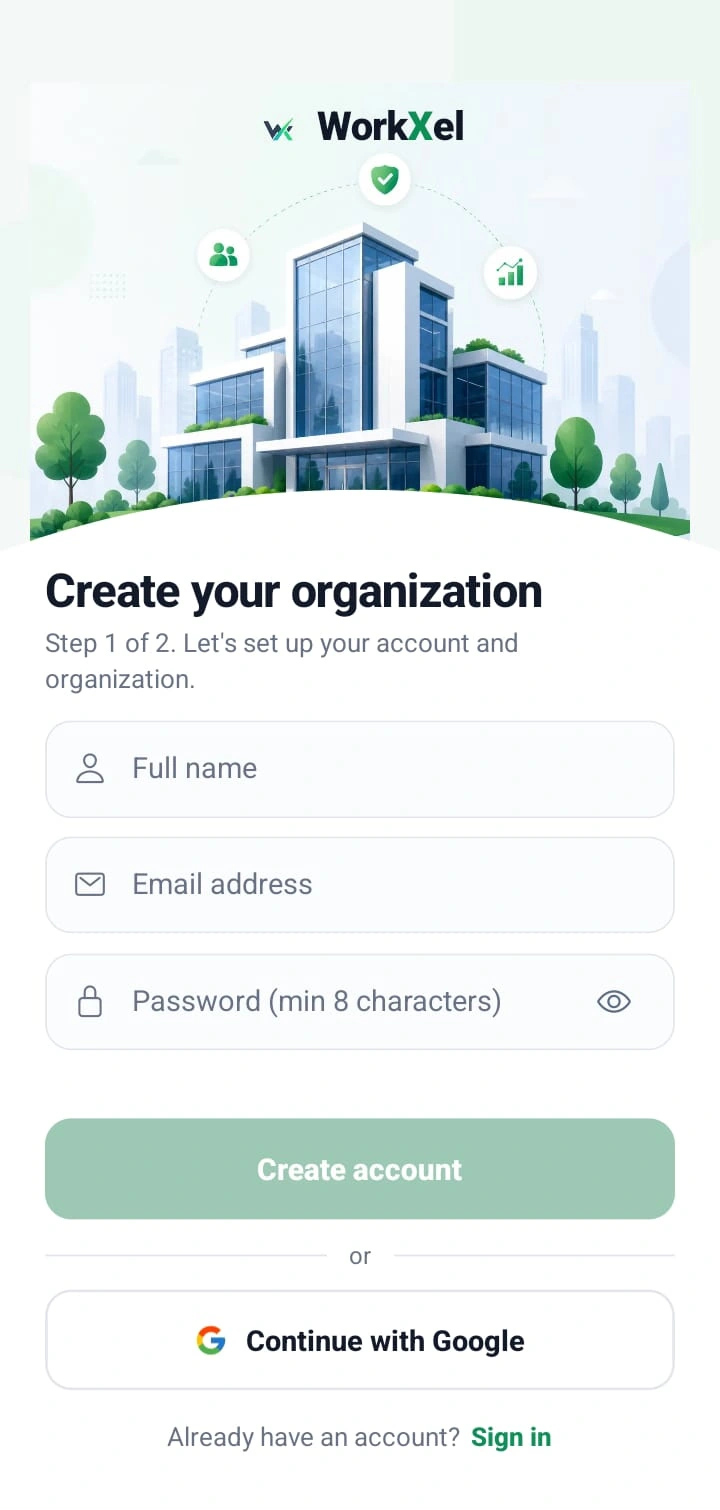
  • WorkXel mobile sign-up screen for creating an organization
    Create an organization
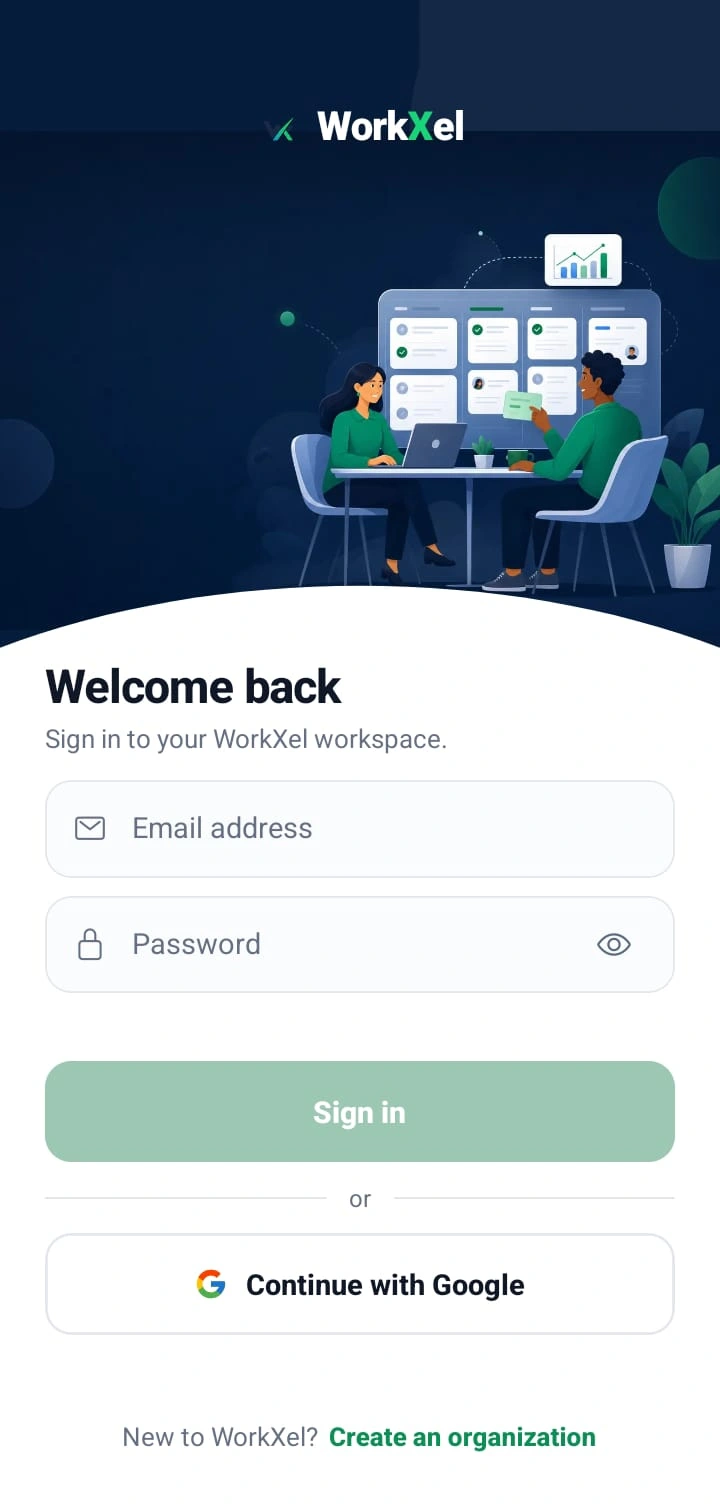
  • WorkXel mobile sign-in screen
    Sign in

Project management

Plan. Manage. Deliver.

Move from the big picture to the next deadline without rebuilding the story in another tool.

WorkXel project board for Website Relaunch with To Do, In Progress, In Review and Done columns; the Build checkout flow task shows its subtask, Integrate payment gateway

Tasks & dependencies

Know What Needs to Happen Next

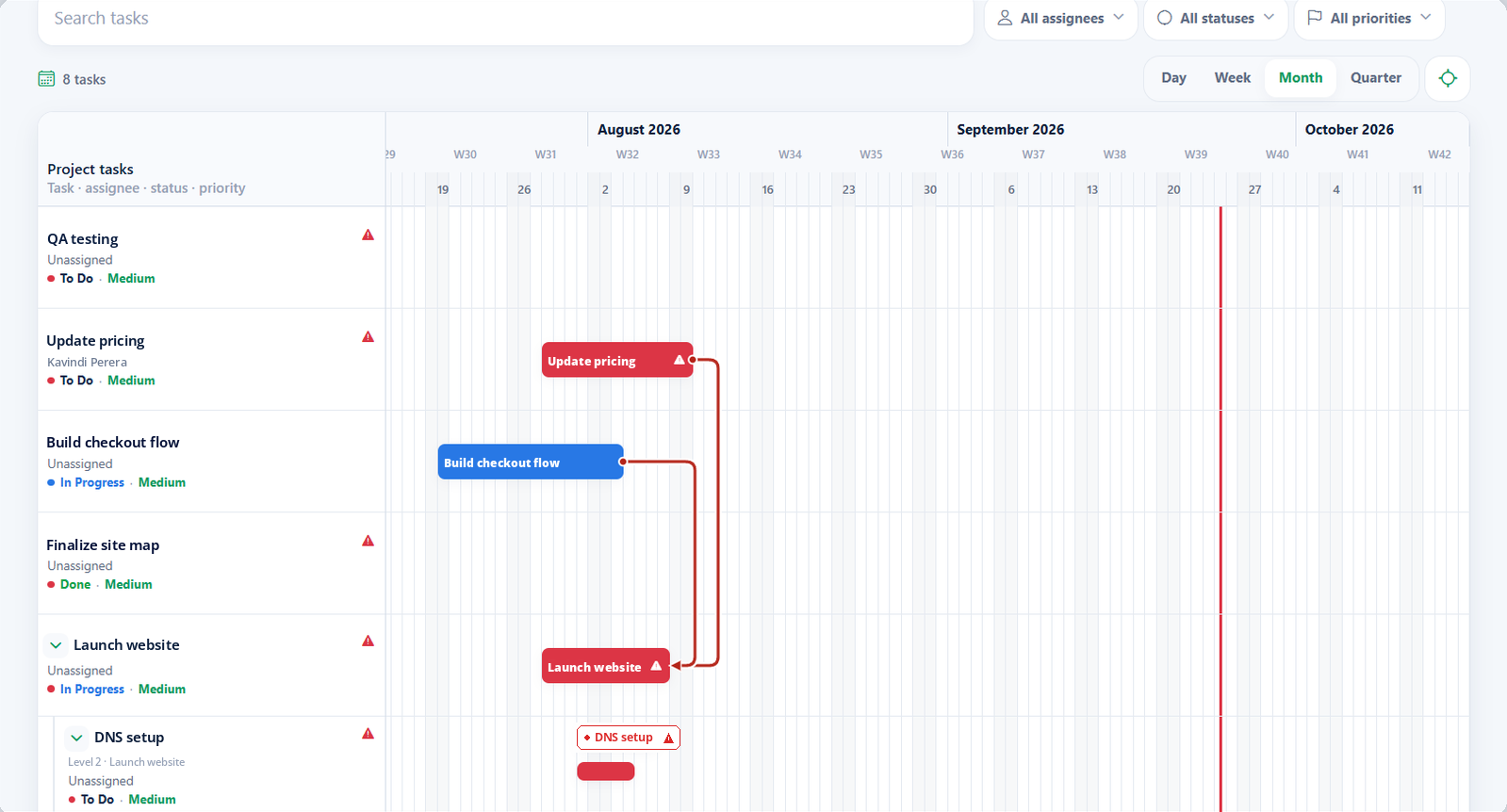
Link tasks so each one knows what it's waiting on. Your team sees which work is blocked, what needs to happen first, and what they can start right now.
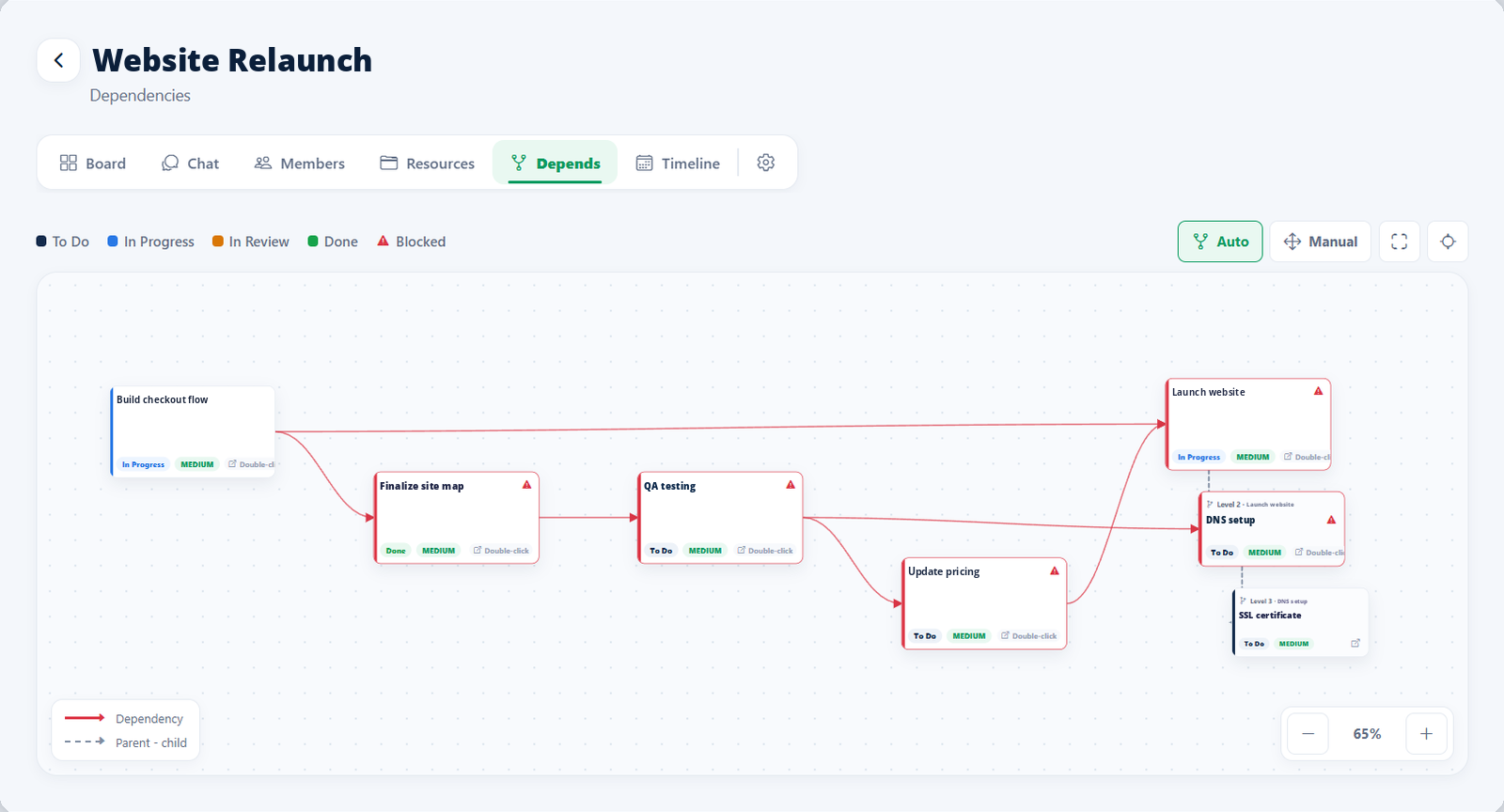
  1. DesignCompleted
  2. DevelopmentIn progress · unblocked by Design
  3. TestingBlocked · waiting on Development
  4. DeploymentBlocked · waiting on Testing
WorkXel dependency map linking tasks and subtasks, with blocked tasks marked
Completed In progress Blocked

Project chat & task chat

The Right Conversation, With the Right People

WorkXel keeps two kinds of chat, so a project-wide discussion never buries the detail of a single task — and task details stay with the people doing the work.

Everyone on the project

One conversation for the whole project. Every member — and any guest invited to the project — can read and post, so decisions are shared with the whole team.
  • Lahiru SenadheeraProject managerIn chat
  • Kavindi PereraAssigneeIn chat
  • Thusitha SamarasekaraAssigneeIn chat
  • Sesandi SamarakoonMemberIn chat
  • Gnaneswar AtturuMemberIn chat
  • Dilini JayasuriyaGuestIn chat
  • @mentionsType @ to bring someone into the conversation.
  • Files & imagesAttach screenshots and documents to any message.
  • Read receiptsSee when your message has been read.
  • NotificationsMentions and replies reach you on web and mobile.
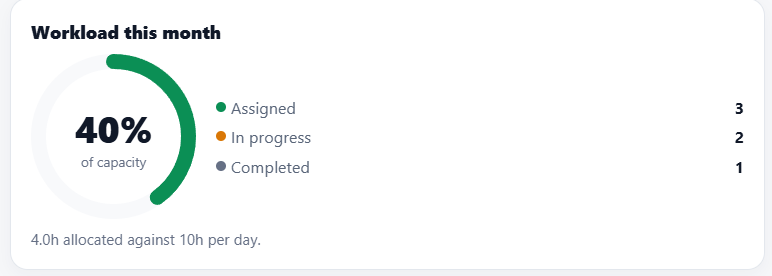
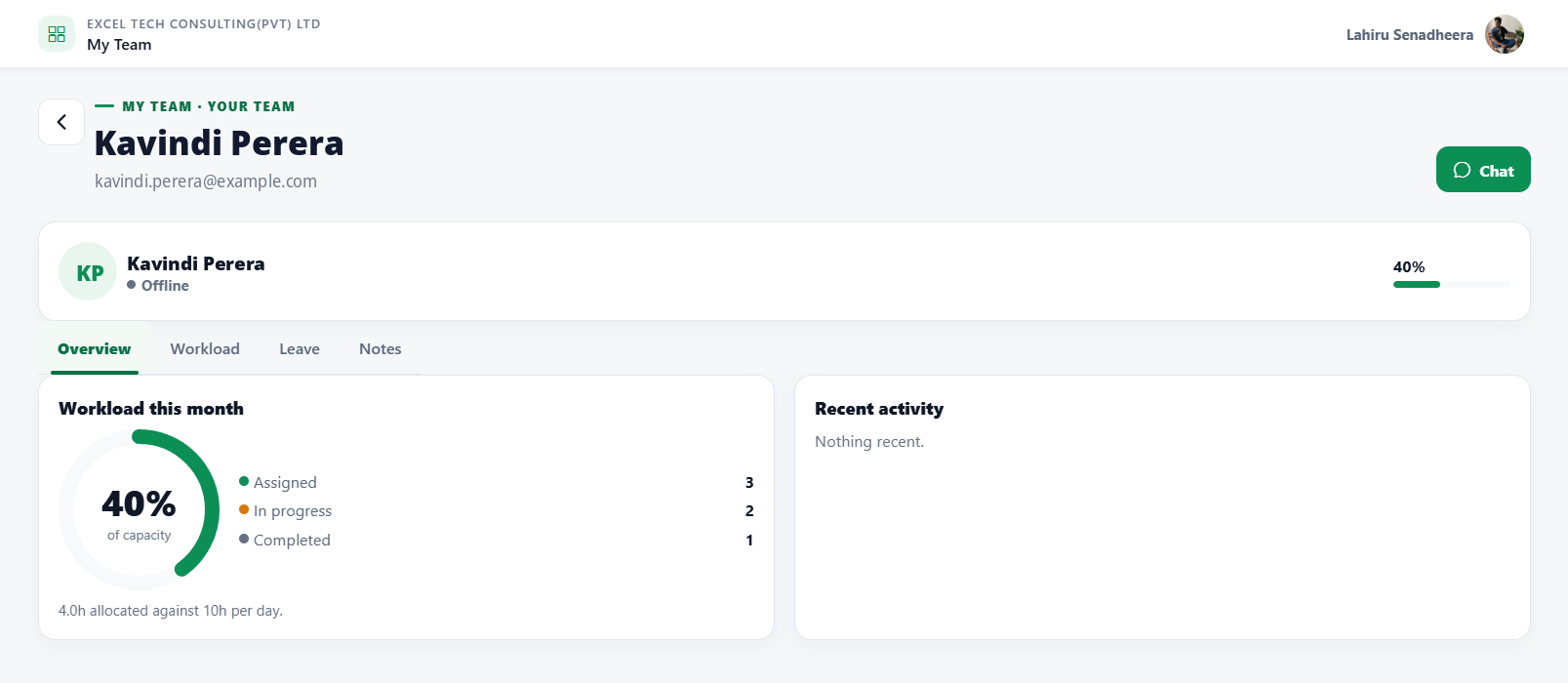
WorkXel My Team view of one team member with their workload for the month and recent activity

My Team

Know Your Team. Support Your Team.

Supervisors get a clear view of the people they look after — their work, their availability, and their requests — and can talk to them from the same place.

  • Direct reportsEveryone who reports to you, in one list.
  • WorkloadSpot who is stretched before it becomes a problem.
  • Leave requestsApprove Work From Home, Work Outside, and leave in place.
  • Team conversationsMessage one person or the whole team.
  • Team membersRoles, projects, and availability for each person.
  • Team activityWhat moved today, without asking for a status update.

Organization management

Built for the Way Your Organization Works

Members, roles, supervisors, and approvals are part of the platform — not a spreadsheet on the side.
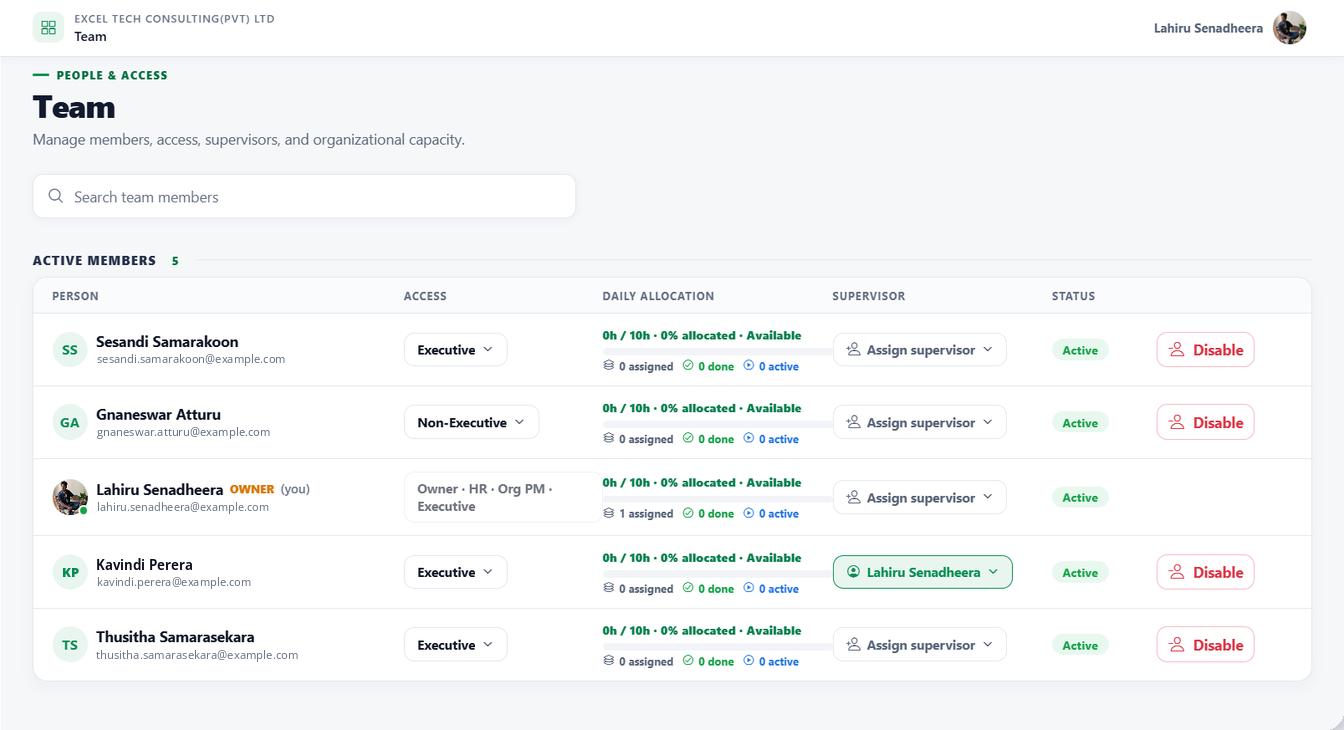
  1. 01Organization membersOne directory for everyone in your organization.
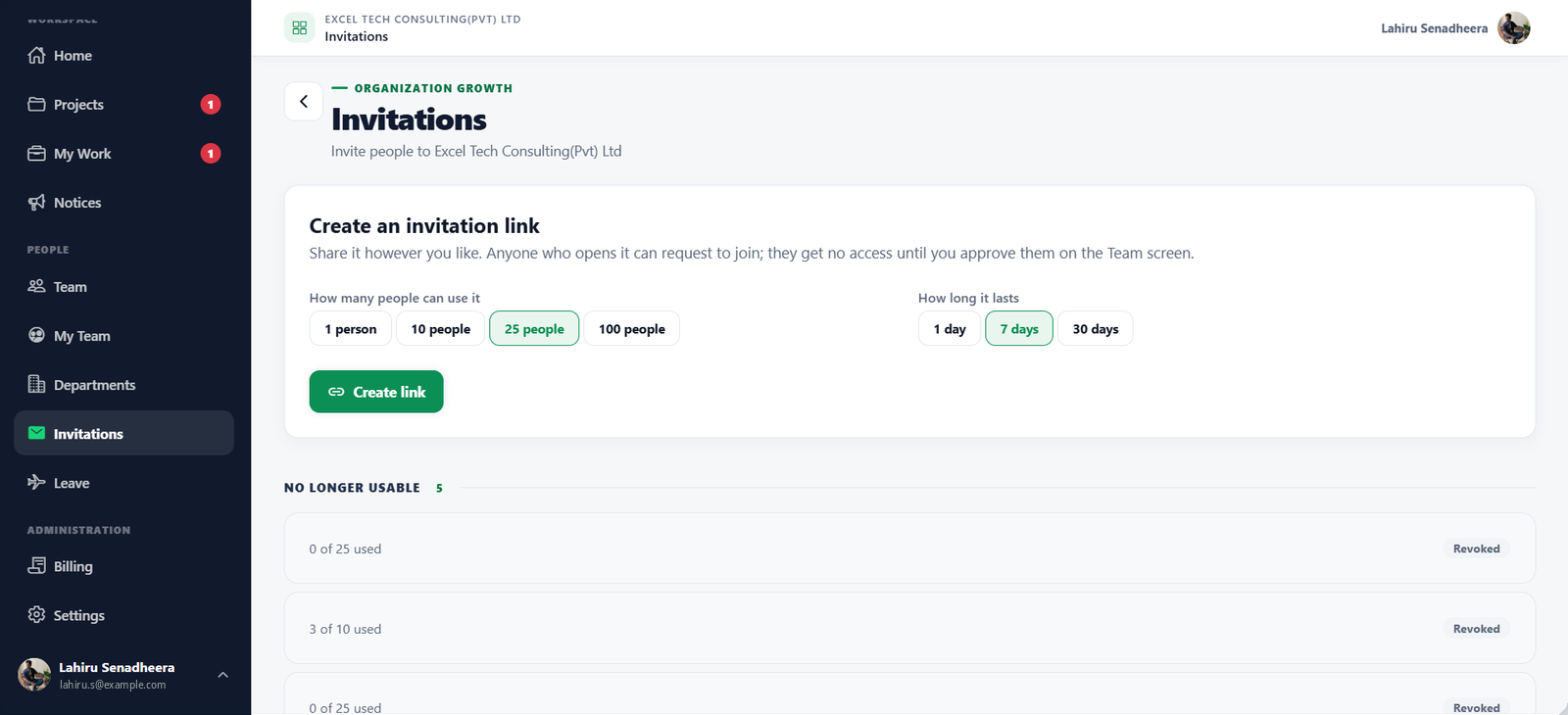
  2. 02InvitationsShare a join link with a use limit and an expiry, and see how many people used it.
  3. 03User approvalsReview requests to join before anyone gets access.
  4. 04Roles & privilegesDecide exactly which actions each role can take.
  5. 05SupervisorsDefine reporting lines that drive approvals and My Team.
  6. 06HR workflowsLeave, approvals, and member changes follow your process.
  7. 07Organization settingsHolidays, policies, and preferences in one place.
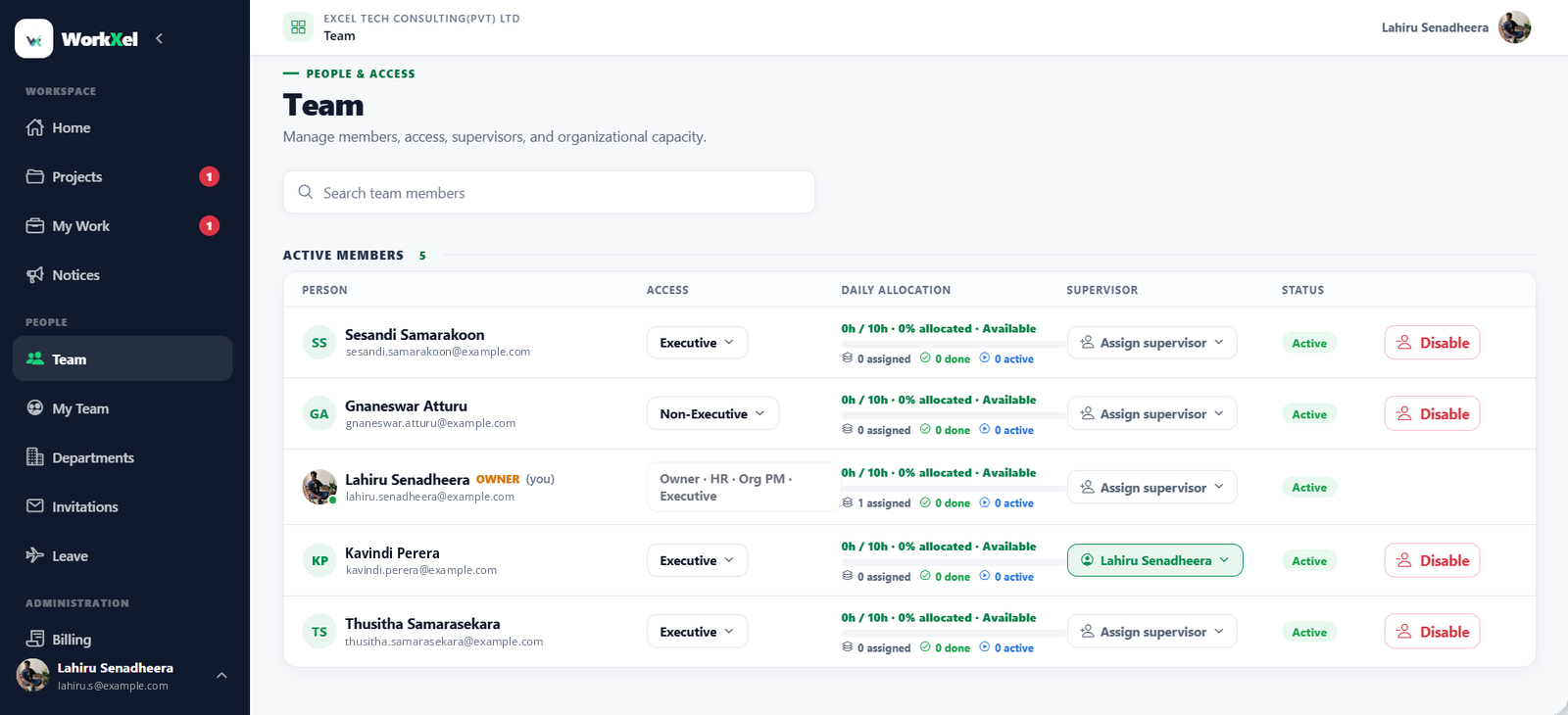
WorkXel team screen listing members with their access level, daily allocation, supervisor and status
WorkXel invitations screen for creating a join link with a usage limit and expiry
Invitations — a join link with a use limit and an expiry.
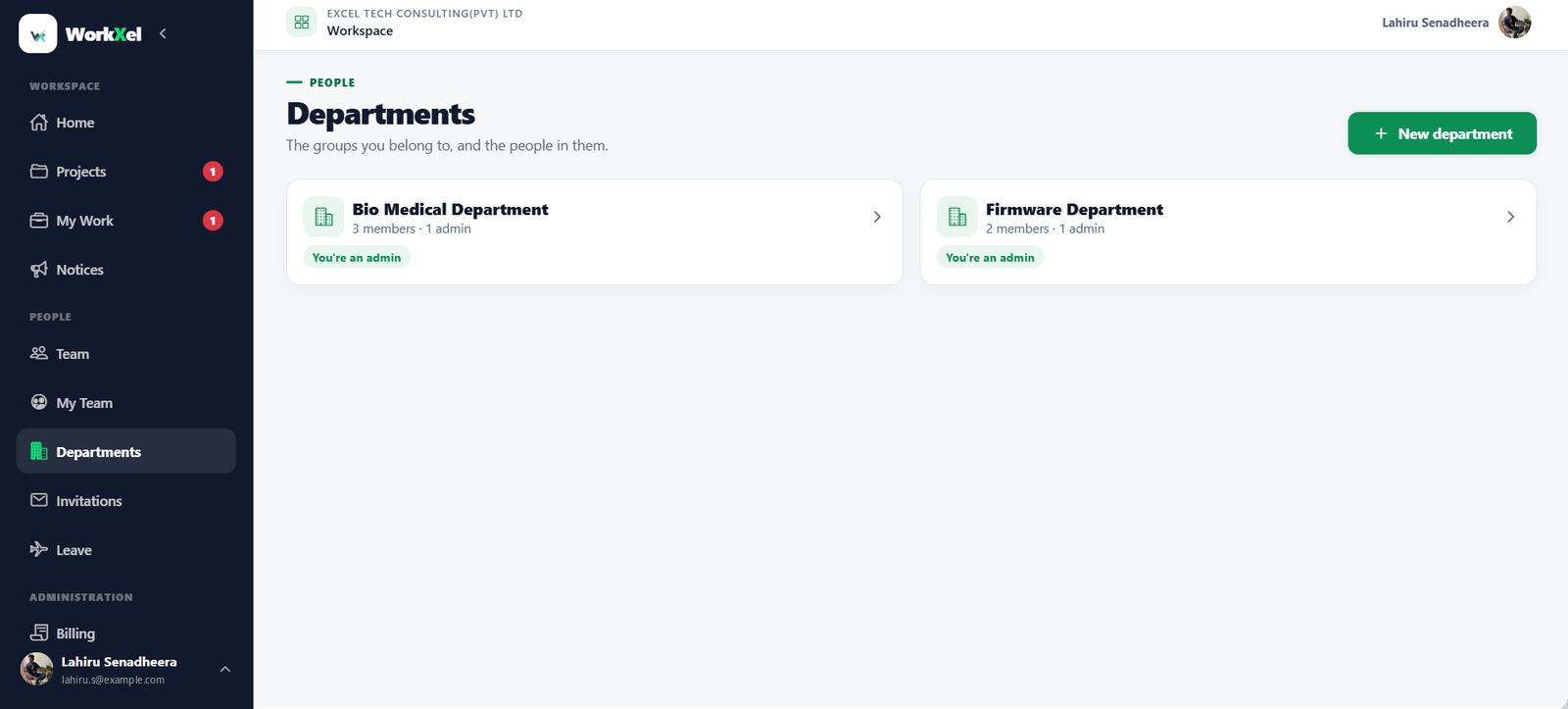
WorkXel departments screen with department cards, member counts and admins
Departments — group people and give each group its own admins.

Secure by design

Your Organization's Data Stays Yours

WorkXel handles your projects, people, and HR information, so access control is built into every layer — from sign-in down to individual database rows.

Row Level Security

Access rules are enforced inside the database, row by row — data a person isn't allowed to see is never returned, not just hidden in the interface.

Organization-level isolation

Each organization's projects, people, and records are kept separate from every other organization on WorkXel.

Secure authentication

Every request is tied to a signed-in account using token-based authentication.

Permission-based access

Roles and privileges decide which menus, records, and actions each person can use.

Guest access controls

Guests reach only the projects they're invited to — never your members, HR records, or organization settings.

Auditability

Approvals and key changes keep a record of who made them and when.

Encrypted sensitive data

Data travels over encrypted connections, and optional encryption can protect messages, comments, notices, notes, and files.

Defense in depth

Security in WorkXel is layered: sign-in, roles, and database rules each limit what anyone can reach — so no single check carries the whole load.

Guest collaboration

Bring External Collaborators Into the Right Projects

Invite clients, contractors or partners into a single project with a guest link. They work alongside your team there — and nowhere else in your organization.

Take part

See the project, comment and chat. Can't change tasks.

Manage work

Also create and edit tasks, and assign them to people already on the project.
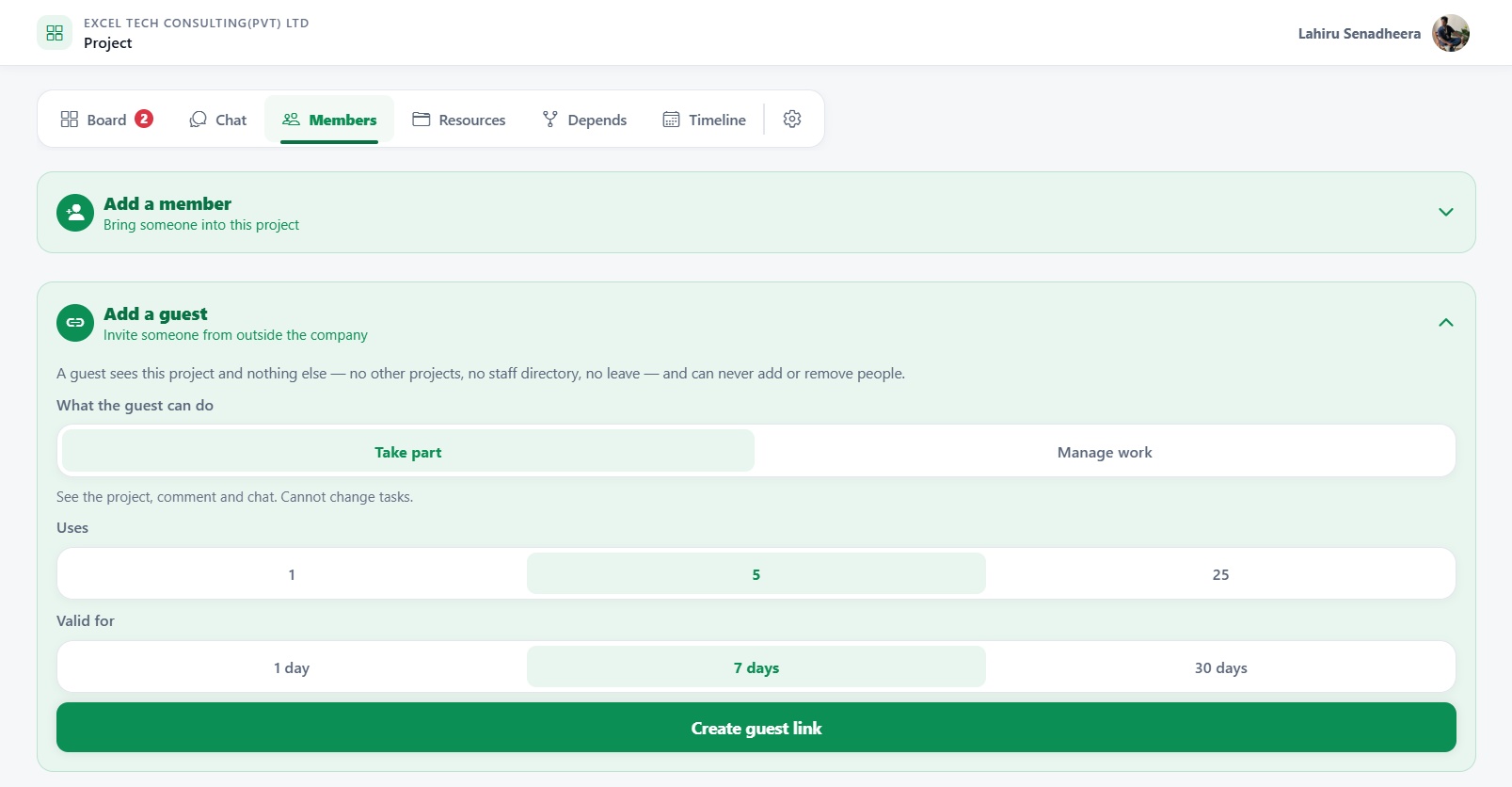
Link for 1, 5 or 25 people Valid for 1, 7 or 30 days
  • See the one project they're invited to
  • Chat and comment in that project
  • See other projects
  • See your staff directory or leave
  • Add or remove people
WorkXel Add a guest panel: choose whether the guest can take part or manage work, how many people the link works for, and how long it lasts

Adding a guest from a project's Members tab.

Solutions

Built for Different Ways of Working

Start with what you need today. The rest of WorkXel is there when your team grows into it.

Small Teams

Manage projects and collaborate without unnecessary complexity.

Key tools: Projects · Tasks · Chat

Growing Organizations

Coordinate teams, projects, workloads, and organizational processes.

Key tools: Team · Workloads · Leave

Project-Based Teams

Manage multiple projects, tasks, dependencies, and external collaborators.

Key tools: Dependencies · Timelines · Guests

Organizations

Bring project management, communication, HR workflows, and team management together.

Key tools: My Team · Approvals · Organization

Pricing

Start With a Trial. Grow as You Need.

Every organization starts with a trial. When you need more, add users, projects, storage, or guest access — and keep working.

  1. Start with a trialEvery new organization gets a trial period with a defined allowance of users, projects, storage, and guest access.
  2. Add what you needWhen you outgrow the allowance, purchase additional resources — even partway through a billing cycle.
  3. Billed per cycleBilling runs in defined cycles, so you always know what the next period covers.

Your organization

Trial included

Resources
  • Users

    Included in trial · add more anytime

  • Projects

    Included in trial · add more anytime

  • Storage

    Included in trial · add more anytime

  • Guest access

    Included in trial · add more anytime

Current prices and allowances are shown in WorkXel when you set up your organization. Pricing is managed by the WorkXel platform and may vary by region.

Start Your Trial

How WorkXel works

Up and Running in Three Steps

  1. 01

    Create Your Organization

    Set up your organization and configure your workspace.

  2. 02

    Bring Your Team Together

    Invite team members, assign responsibilities, and organize your teams.

  3. 03

    Get Work Done

    Create projects, manage tasks, collaborate, track workloads, and manage organizational workflows.

Product tour

See WorkXel in Action

Take a look around the workspace your team will use every day.
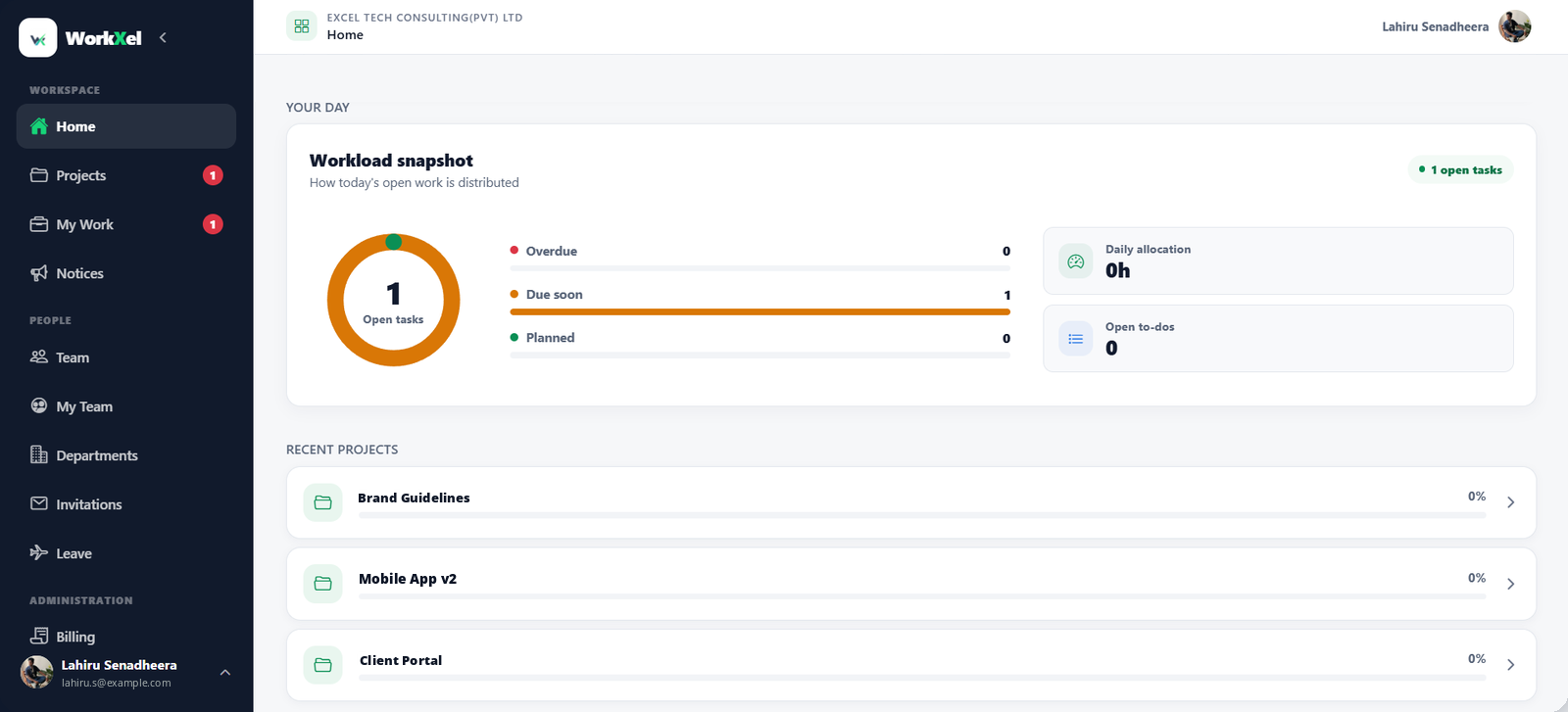
WorkXel home screen with a workload snapshot of open, due soon and overdue tasks, and recent projects

Your open work, what's due soon, and your recent projects the moment you sign in.
Bring Your Work Together with WorkXel

  • Manage projects.
  • Connect your teams.
  • Get visibility into your work.